
Hey there, I’m Logan Blake, your go-to AI expert from AI Riches Academy! If you’ve been looking for a simple, fast, and powerful way to create professional video ads without any editing skills, you’re in the right place. Today, I’m super excited to introduce you to Kreado AI, a game-changing tool that’s taking the world of AI Video Creation Tools by storm. In this detailed guide, I’ll show you how to use Kreado AI to create a short, talking video ad for a trending product like the Stanley Quencher Tumbler in just 1 minute.

Plus, we’ll make it in a 9:16 format, perfect for platforms like TikTok, Instagram Reels, and YouTube Shorts. Whether you’re a small business owner, a content creator, or just someone looking to make money online, Kreado AI is here to make your life easier. Let’s dive in and explore how this incredible tool works, step by step, and how it can help you sell products and boost your income. Ready? Let’s get started!
🔥 Sign up for Kreado AI and receive an exclusive offer 🔥
Why Kreado AI is a Must-Have for Video Creators 💡
Before we jump into the tutorial, let’s talk about why Kreado AI is such a big deal in the world of AI Video Creation Tools. Kreado AI is a super powerful AI tool designed to help you create professional videos without needing any editing skills. With over 700 digital avatars and 1,600 voices, you can make ad videos to sell any product—like the Stanley Quencher Tumbler that’s trending in the US—and start making money from it. Whether you’re creating content for TikTok, Instagram, or YouTube Shorts, Kreado AI has you covered with its easy-to-use features.
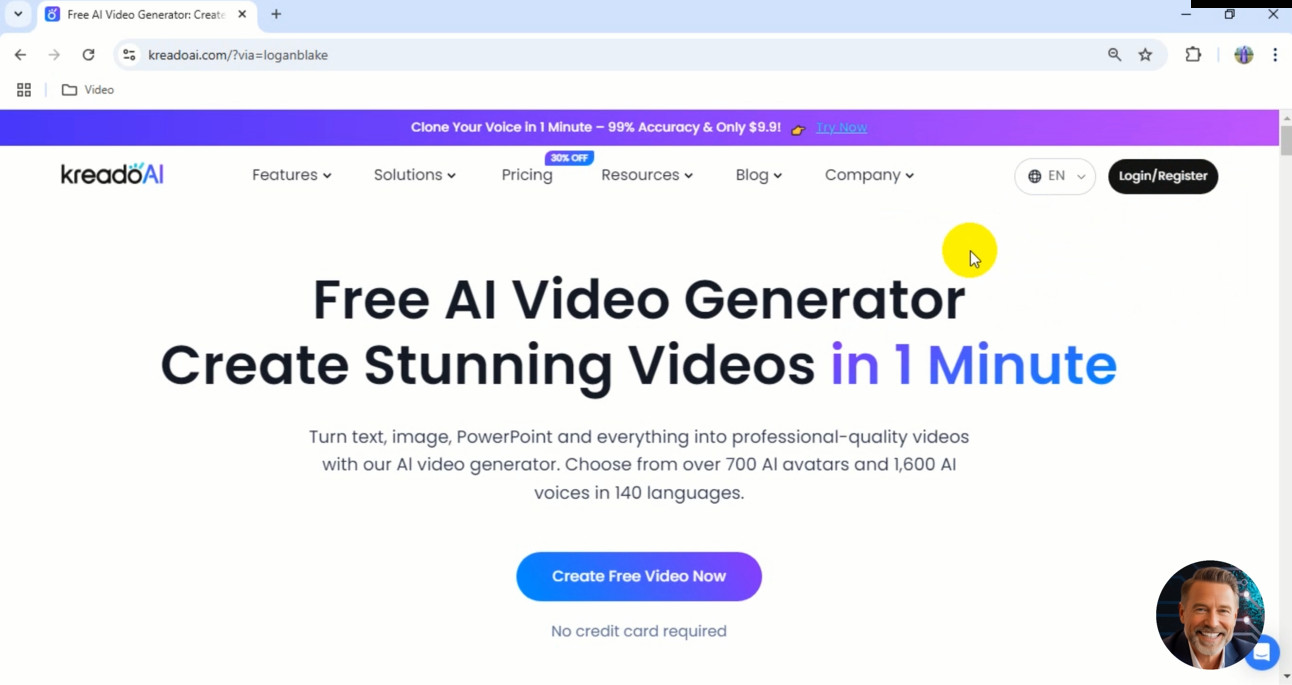
What makes Kreado AI stand out? It’s not just an AI Video Creation Tool—it also fits into categories like AI Avatar Generators, Voice Cloning and AI Text-to-Speech, AI Copywriting for Marketing, Multilingual Content Creation Tools, and AI Video Editing Tools. From creating lifelike avatars to generating scripts with AI, Kreado AI streamlines the entire video creation process. Plus, it supports 140 languages, making it a top choice for Multilingual Content Creation Tools if you’re targeting global audiences. Whether you’re a beginner or a pro, Kreado AI makes video creation fast, affordable, and fun. Let’s see how it works in action!
🔥 Sign up for Kreado AI and receive an exclusive offer 🔥
Step-by-Step Guide to Creating a Talking Video Ad with Kreado AI 📹
Alright, let’s get to the good stuff! I’m going to walk you through every step of creating a short ad video for the Stanley Quencher Tumbler using Kreado AI. We’ll make a 9:16 video that’s perfect for TikTok, Instagram Reels, or YouTube Shorts. Follow along, and you’ll see just how easy it is to create professional videos that can help you sell products and make money.
Step 1: Sign Up for Kreado AI and Access the Exclusive Offer 🔗
The first step is to get started with Kreado AI. Open your browser on your computer and head over to the link I’ve provided: https://airichesacademy.com/kreadoai/. When you sign up through this link, you’ll get an exclusive offer just for AI Riches Academy readers—pretty sweet, right? You can check out more details on the website after signing up.
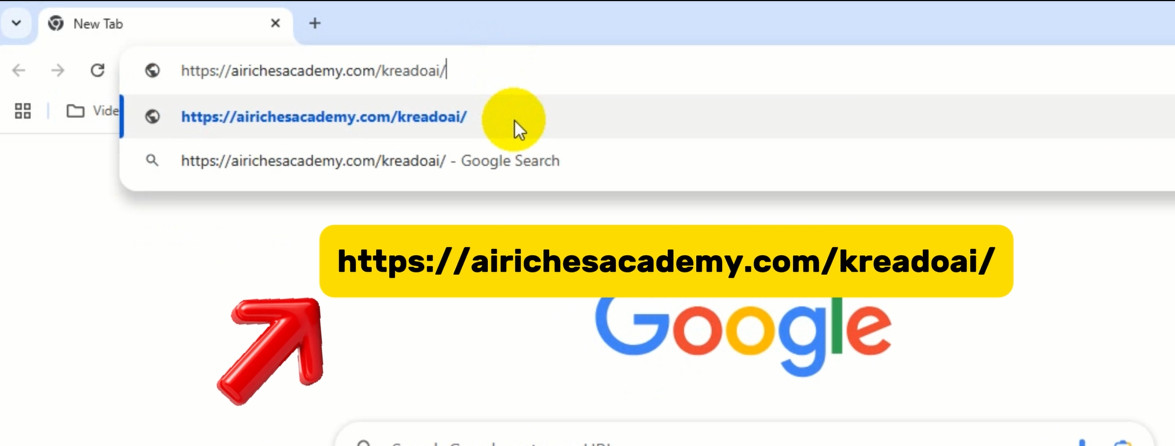
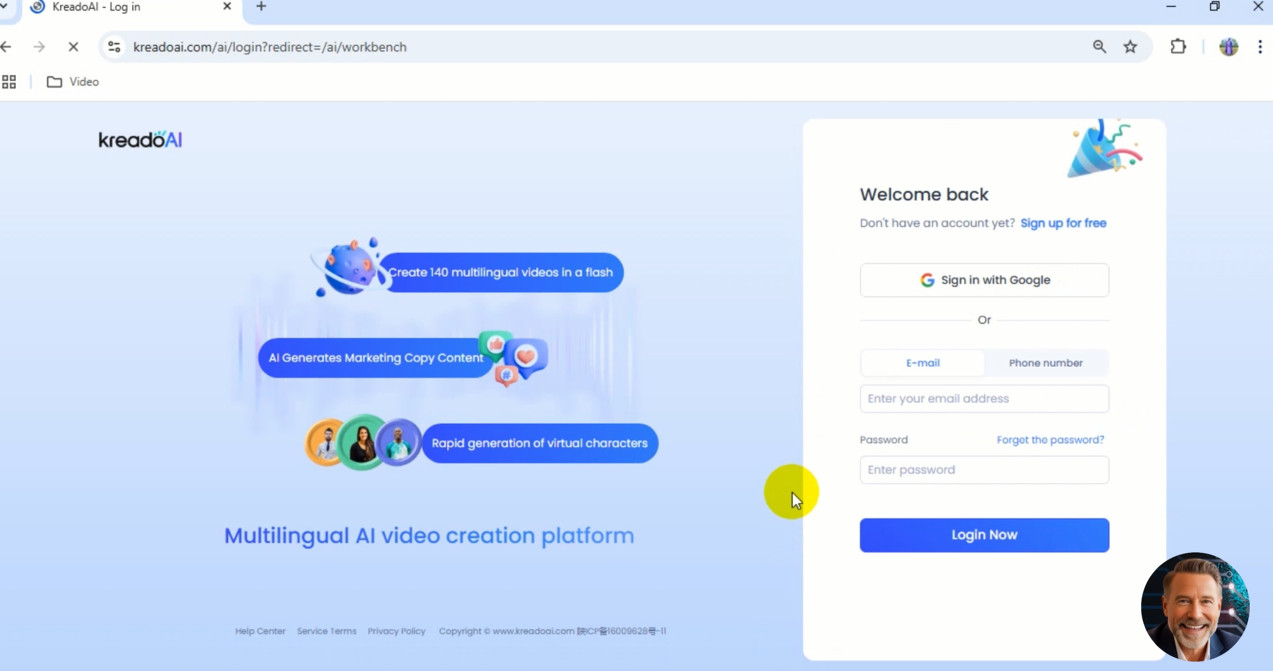
Once you’re on the Kreado AI website, click on “Get Started For Free” to create a free account. All you need to do is enter your email, create a password, and confirm your email. If you want to speed things up, you can also click the “Sign in with Google” button for the fastest login. It’s as easy as pie! I’ve also made a video introducing Kreado AI on my AI Riches Academy channel, which you can check out for more info if you’re curious about this amazing tool.
👉 Create Pro Product Videos in 5 Minutes with Kreado AI – 3 Easy Steps for Marketers!
👉 How to Create AI Avatars with Kreado AI in Minutes?
Step 2: Navigate Kreado AI’s Interface and Earn Free K Coins 🎁
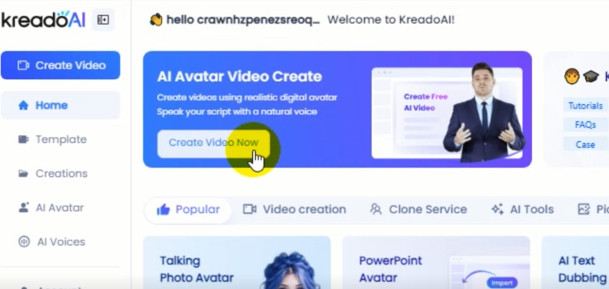
After logging in, Kreado AI will ask you a few quick questions to personalize your experience—you can answer them or just skip them if you’re ready to dive in. Once you’re past that, you’ll land on the main interface of Kreado AI, and let me tell you, it’s super user-friendly.
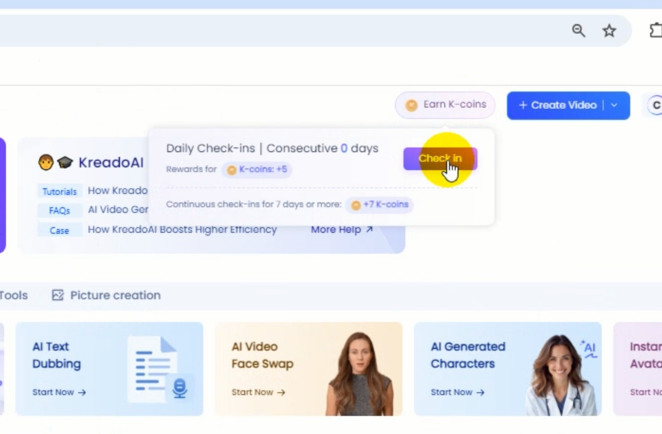
Here’s a little tip if you’re using the free version of Kreado AI: Check in daily to earn more K Coins for video production! K Coins are what you use to generate videos, and you can rack them up by clicking the “Earn K-coins” button and then hitting “Check in.” It’s a simple way to get more value out of the platform without spending a dime.
On the main page, you’ll notice tons of ready-made templates for product introductions or any other type of video you want to create. Kreado AI has come a long way, and compared to previous versions, it’s packed with new features like PowerPoint Avatar, AI Video Face Swap, and Instant Avatar Clone. These updates make it one of the best AI Video Editing Tools and AI Avatar Generators out there. You can play around with these features later, but for now, let’s focus on creating our first video.

Step 3: Set Up Your Video with the Digital Avatar Video Feature 🎬
Now that you’re in the Kreado AI dashboard, let’s create your first video! Click on “Create Video” to get started. Since we’re making a video for platforms like TikTok, Instagram Reels, and YouTube Shorts, we’ll choose the 9:16 (Portrait) format. This ensures your video fits perfectly on these platforms and grabs attention right away.
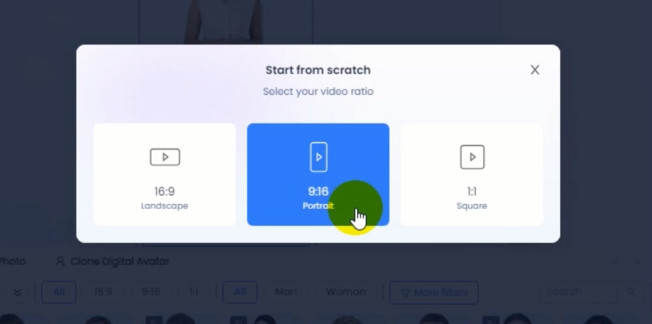
The magic happens with Kreado AI’s Digital Avatar Video feature—this is the main tool that lets you create talking videos. With over 700 avatars to choose from, Kreado AI covers nearly every country and all five continents, making it a leader in AI Avatar Generators. Want to target a specific region? Click on “More Filter” to select avatars based on country, region, or style. You’ll find tons of options like Professional, Lifestyle, Gender, Age, and Scenarios.
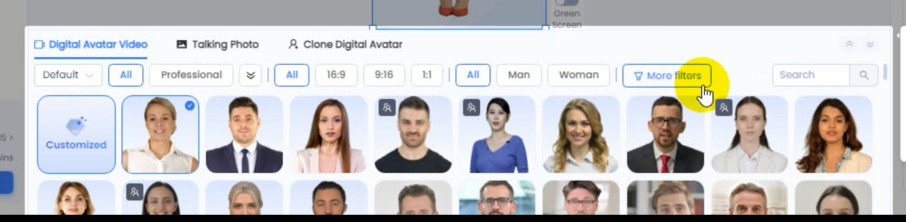
For this video, I’ll pick a young, professional female character who looks trustworthy—she’s perfect for selling a product like the Stanley Quencher Tumbler. Kreado AI makes it so easy to find the right avatar for your audience, which is why it’s one of the best tools for creating AI Video Creation Tools.
Step 4: Write Your Script with AI Copywriting ✍️
Next, we’ll move to the Voice section, where the AI will read your script. Let’s start by writing a simple script for our ad: “Keep your drink cold for 24 hours with the Stanley Quencher Tumbler – only $45!” But here’s where Kreado AI really shines—it has an AI Copywriting for Marketing feature that can expand your ideas into a full script.
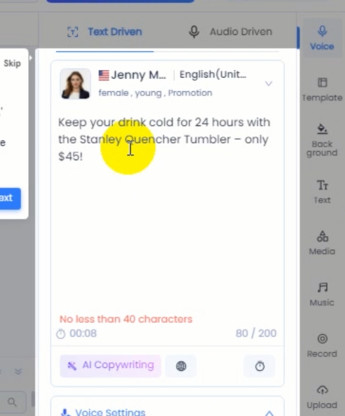
In the “Enter keywords” section, type in your idea—I’ll use the script we just wrote as a starting point. Then, choose the word count you want for your script—I’ll demo with 200 words. Click “Start Generating,” and Kreado AI will create a polished script for you in seconds. All you have to do is pick the best one—super simple, right? This feature makes Kreado AI a standout in the AI Copywriting for Marketing category, saving you time and helping you create compelling content that sells.
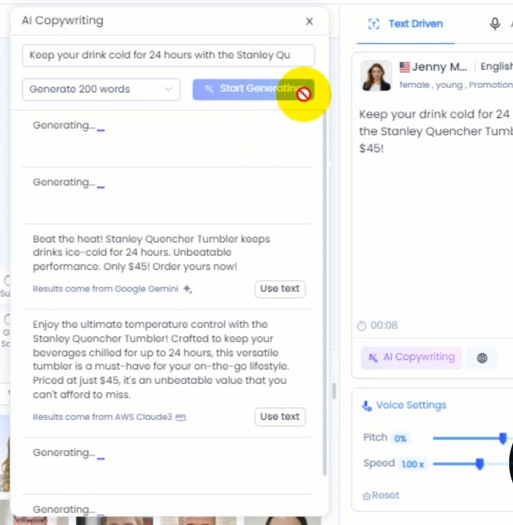
Once you’ve got your script, delete the old one and click “Use Text” to apply the new script to your video. Kreado AI’s ability to generate marketing content on the fly is a game-changer for anyone looking to create professional ad videos quickly.
Step 5: Choose a Voice with Voice Cloning and AI Text-to-Speech 🗣️
Now that your script is ready, it’s time to choose a voice for your video. Kreado AI offers over 1,600 real-human-like voices, making it a top player in Voice Cloning and AI Text-to-Speech. You can select the language, country, gender, age, and tone of voice to match your target audience. Click “Play” on each voice to listen and test them out—it’s so easy to find the perfect one!
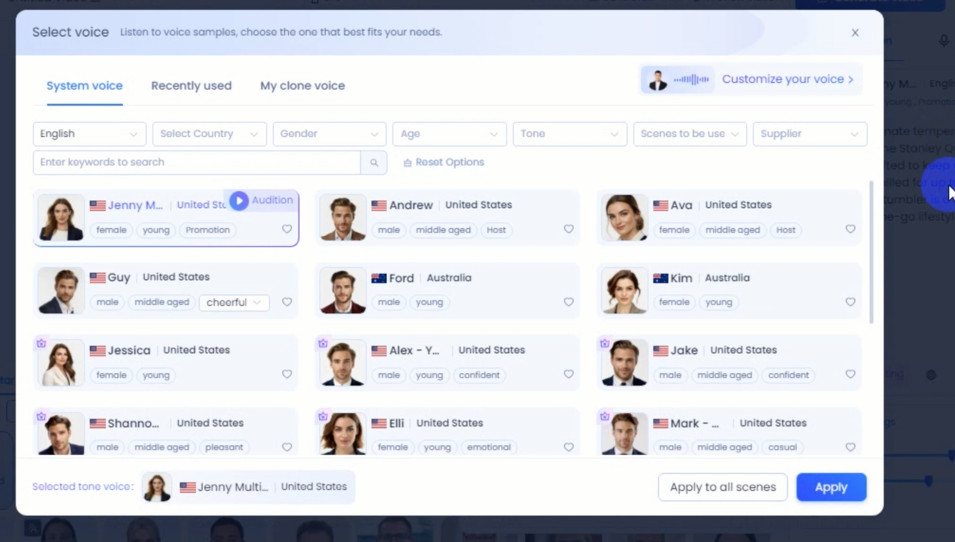
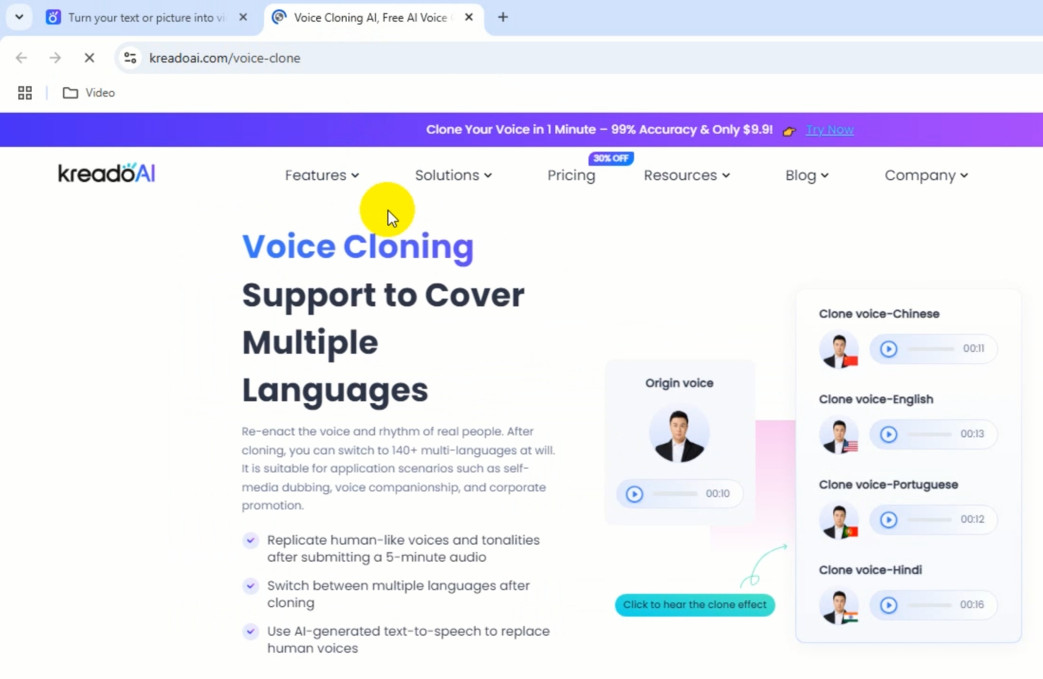
For this ad, I’ll go with a natural female American voice that sounds professional and trustworthy. But here’s something even cooler: Kreado AI’s “Customize Your Voice” feature. With this, you can create an AI voice that sounds exactly like you in just a few minutes! Just record a short clip, upload it, and bam—you’ve got an exclusive voice for super professional ad videos. This makes Kreado AI a leader in Voice Cloning and AI Text-to-Speech, giving you endless possibilities for personalization.
Step 6: Add Your Product and Customize the Video 🎨
With the voice set, let’s add the product to the video. I’ll upload an image of the Stanley Quencher Tumbler so the AI can introduce it in the ad. Kreado AI lets you add backgrounds, media, music, and even text to make your video pop. You can get creative here—add a bright background, some upbeat music, or a catchy text overlay to highlight the product’s price.
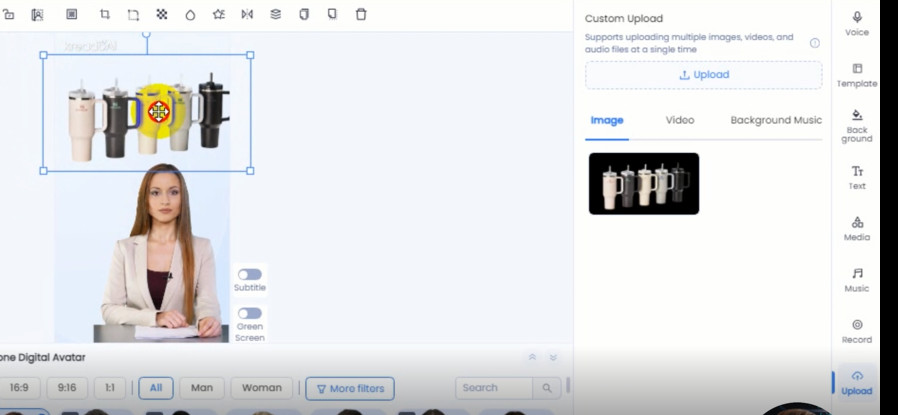
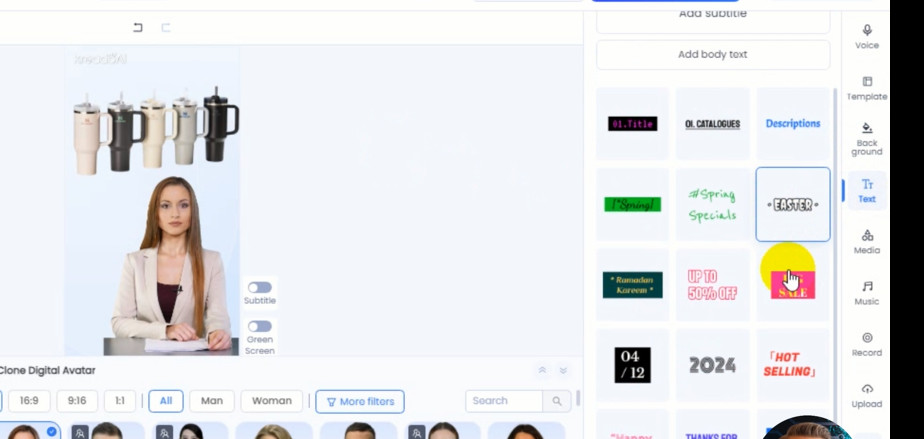
So far, I’ve only worked on Scene 1, but you can customize more with Scene 2 or 3 to fit your script. Kreado AI’s flexibility makes it one of the best AI Video Editing Tools out there—you don’t need any editing skills to make your video look professional. Once you’re happy with the setup, click “Preview Video” to review your work. If everything looks good, it’s time to generate the final video!
Step 7: Generate and Download Your Video ⏳
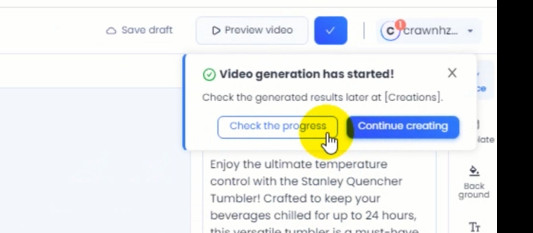
Now for the final step! Click “Generate Video,” then “Start Generating Video,” and “Check the Progress” to see how far along the video processing is. Kreado AI is super fast, so it won’t take long—just brew a cup of coffee and get ready to enjoy your masterpiece. Once it’s done, hit the download button to save the video to your device.
Let’s take a look at the final result: a stunning 9:16 video with a talking AI avatar promoting the Stanley Quencher Tumbler. It’s ready to post on TikTok, Instagram Reels, or YouTube Shorts, and it only took 1 minute to create! Kreado AI makes the entire process seamless, from start to finish, which is why it’s a top choice for AI Video Creation Tools.
🔥 Sign up for Kreado AI and receive an exclusive offer 🔥
Benefits of Using Kreado AI for Video Ads 🌟
So, what makes Kreado AI so amazing? Let’s break down the benefits and real-world applications of this incredible tool. First off, it’s pretty simple to use—even if you’ve never made a video before, you can create a professional ad in just a few clicks. With Kreado AI, you can make short ad videos like this one to sell any product—like the Stanley Quencher Tumbler—and start making money on platforms like TikTok, Instagram, or YouTube Shorts.
Kreado AI isn’t just about creating videos—it’s a complete solution that fits into multiple categories. As an AI Avatar Generator, it lets you create lifelike avatars that speak for you. Its Voice Cloning and AI Text-to-Speech features give you access to thousands of voices or the ability to clone your own. The AI Copywriting for Marketing tool helps you write scripts that convert, while its support for 140 languages makes it a leader in Multilingual Content Creation Tools. And with its editing capabilities, Kreado AI is also a top AI Video Editing Tool.
Whether you’re a small business owner, a marketer, or a content creator, Kreado AI can help you save time, cut costs, and create high-quality videos that drive sales. It’s the perfect tool for anyone looking to take their video marketing to the next level.
Real-World Applications of Kreado AI for Businesses and Creators 📈
Let’s talk about how you can use Kreado AI in the real world. If you’re running a small business, you can create product ads to showcase your inventory—like the Stanley Quencher Tumbler—and post them on social media to attract customers. Kreado AI’s 9:16 format is perfect for platforms like TikTok, where short, engaging videos can go viral and drive sales.
For content creators, Kreado AI is a lifesaver. You can use it to create consistent, high-quality content for your YouTube Shorts or Instagram Reels without spending hours on editing. The Multilingual Content Creation Tools feature is a game-changer if you’re targeting a global audience—you can create videos in multiple languages without hiring translators or voice actors.
Marketers will love Kreado AI’s AI Copywriting for Marketing tool, which helps you write scripts that resonate with your audience and boost conversions. And if you’re in e-commerce, Kreado AI can help you create product videos that look professional without the need for a big budget. It’s a versatile tool that can be used in so many ways to grow your business or channel.
Final Thoughts: Start Creating with Kreado AI Today! 🎉
Pretty simple, right? With Kreado AI, you can create short ad videos like the one we made for the Stanley Quencher Tumbler and start making money on TikTok, Instagram, or YouTube Shorts. Whether you’re a beginner or a seasoned creator, Kreado AI makes video creation fast, affordable, and fun. It’s the ultimate tool for anyone looking to leverage AI Video Creation Tools, AI Avatar Generators, Voice Cloning and AI Text-to-Speech, AI Copywriting for Marketing, Multilingual Content Creation Tools, and AI Video Editing Tools to grow their business or channel.
Ready to give it a try? Click the link right now to sign up for free and create your first ad video: https://airichesacademy.com/kreadoai/. I’d love to hear about the product you want to sell—drop a comment below and let me know! And if you found this guide helpful, don’t forget to subscribe to AI Riches Academy for more awesome AI tips. See you in the next post!
👉 Check out the best AI programs available today: The Best AI of the Year
📺 Our YouTube Channel: https://www.youtube.com/@airichesacademy
👍 Our Facebook Channel: https://www.facebook.com/airichesacademy/
👍 Our Group Facebook Channel: https://www.facebook.com/groups/airichesacademy/
🐦 Our Twitter Channel (X): https://x.com/airichesacademy/
✈️ Our Telegram Channel: https://t.me/airiches/
📌 Our Pinterest Channel: https://www.pinterest.com/airichesacademy/
💼 Our LinkedIn Channel: https://www.linkedin.com/in/airichesacademy/

Super helpful video! Grateful for the tips, Logan!
Thanks for the awesome feedback!
This AI URL video tutorial rocked! Thank you, Logan!
Thanks so much for the comment!
Thank you, Logan, for this game
Appreciate your kind words!
So cool! Thanks a million, Logan
Thanks for checking out the video!
Fantastic video! Thank you, Logan!
Grateful for your energy!
Super useful! Thank you, Logan!
Thanks so much
You’re a genius, Logan! Thank you!
Thanks for joining in
Amazing content! So grateful, Logan!
Thanks again
Loved the tips! Thanks, Logan!
You’re awesome
You’re the best, Logan! Thanks for sharing!
Thanks for making it so easy, Logan!
Thanks for the feedback
Thanks for the amazing advice, Logan!
Thanks for the love